
How to list your business in Google: clear steps
A practical, news-style explainer on how to list your business in Google, with steps, options, and common pitfalls for Vermont readers and local businesses.

Facing the question of how to list your business in Google, this piece offers a straightforward, step-by-step guide tailored for readers seeking concrete results. It covers what listing is, why it matters for visibility, and how to start now without overhauling your whole web presence. The goal is to help a business appear in local searches and map results with minimal friction.
This explainer outlines practical actions you can take today: verify your business, provide accurate information, and keep details current. It also points to optional profiles and resources that improve accuracy and trust signals. Readers will leave with a clear path and realistic expectations about what a Google listing can achieve.
The guidance here emphasizes accuracy and consistency across data points, plus mindful use of categories, photos, and responses to reviews. It avoids hype and focuses on what evidence-based steps look like in real-world local search behavior. By the end, you’ll know the basic steps and where to find official help if you need it.
- To list your business in Google, start with a verified profile that matches your real-world details. Provide accurate hours, address, and phone number, and add photos that reflect your business. Maintain consistency across platforms and respond to reviews to boost trust.
- Choose the right category, keep information up to date, and use the profile to publish timely updates or events relevant to your audience. Review data in analytics to adjust your listing strategy.
- Explore additional free tools and consider paid boosts only if they align with specific goals like events or promotions. Avoid letting listings substitute a solid, content-rich website; use them to complement existing presence.
- Regular checks of data accuracy, thoughtful responses to customer feedback, and mindful use of photos and posts help a Google listing support local visibility without over-investment.
Basics of listing your business
What listing does for you
A Google listing makes your business information visible in local search results and on maps. It’s a simple profile that appears when people nearby search for services you offer. You gain trust when your data is complete and consistent. Start by confirming your business name, address, and phone number. list your business in Dublin by following the setup steps in Google My Business, ensuring your information is accurate and verified.
- A listing improves local visibility
- Consistency reduces confusion for customers
- Photos boost credibility and click-throughs
- Verify your listing soon after creation
- Use a real address and local phone line
- Keep hours accurate and current
- Add photos that show your storefront or interior
- Respond to reviews professionally
Choosing the right category
Categories help Google understand what you do and who to show your listing to. Pick the primary category that best fits your core service. You can add secondary categories if they accurately describe other offerings. Avoid vague labels that don’t map to a real service you provide.
- Be precise about core services
- Limit to relevant secondary categories
- Avoid generic or unrelated tags
- Update category as services evolve
Verification and information
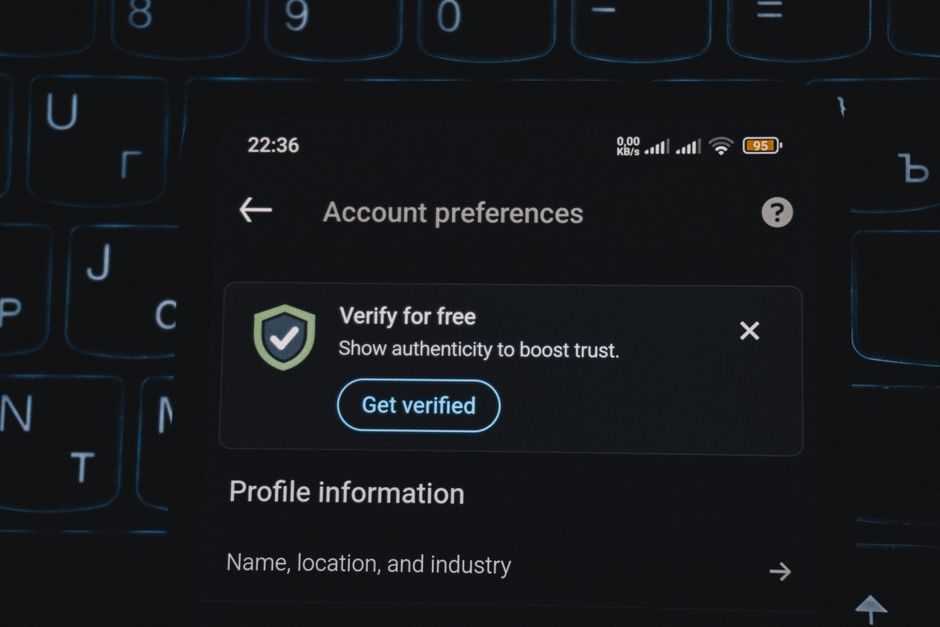
Verifying your business
Verification confirms you own the listing and can manage it. Most businesses complete this through a postcard, phone, or email option, depending on location. The process is usually quick but may take days for some addresses. Ensure you have access to the verification method you choose. Dublin News & Updates latest news can be found alongside practical local business tips in this explainer.
- Request the verification code promptly
- Be ready to re-verify if you move
- Choose the fastest available method
- Keep your listing unchanged during verification
Complete profile details
A complete profile increases trust and matches user intent. Add your business description, hours, services, and a link to your site. Upload several high-quality photos showing storefront, interior, and products. Keep address, hours, and contact details in sync with other listings.
- Provide a concise overview
- Use real photos rather than stock images
- Ensure the same phone number across platforms
- Regularly update special hours or events
Managing reviews and updates
Handling reviews
Reviews influence perception and click-throughs. Respond to both positive and negative feedback with courtesy and specifics. Do not argue or deflect; acknowledge the experience and offer to resolve issues. This practice signals reliability to readers and searchers. list your event in Dublin can boost visibility around upcoming happenings when paired with clear timing and details.
- Ignoring reviews tarnishes credibility
- Generic responses feel insincere
- Delays in replying miss opportunity
- Respond promptly
- Address specifics in the review
- Offer a path to resolution
- Avoid generic replies
| Option | Pros | Cons |
|---|---|---|
| Primary listing | Strong local visibility | Limited in-depth site control |
| Secondary listings | Broader reach | More maintenance |
| Google Posts | Timely updates | Short-lived effects |
Keeping information current
Schedule periodic checks of your listing data. If you update your address, hours, or offerings, reflect changes promptly. Accurate data reduces customer frustration and improves search relevance. Use insights from profile views to refine your listing over time.
- Review data at least quarterly
- Sync data with your website
- Update photos with new seasons or services
- Monitor and respond to questions from users
They can boost prominence briefly during critical periods, such as a local event or sale.
Presence beyond the listing

Additional free tools
Google offers additional free business tools that complement the listing. Basic analytics help you understand how customers find and reach you. Use posts to highlight events or offers, but keep updates concise and relevant. local job listings in Dublin can be supported by a well-maintained business profile that highlights hiring needs and contact points.
- Explore Google Posts sparingly
- Check visitor actions in analytics
- Use updates to reflect timely changes
- Keep branding consistent
When to consider paid options
Paid options exist but are not required for visibility. They can boost prominence briefly during critical periods, such as a local event or sale. Weigh potential gains against cost and your objectives. Avoid over-reliance on ads; organic updates often yield steadier results.
- Set clear objectives
- Track performance metrics
- Avoid over-spending
- Balance with free tools
Measuring impact and reach
Analytics you can monitor
Marketing teams rely on data to understand how customers find a business online. Start with the number of views a listing receives in a week and note any shifts after updates or new photos. This helps you gauge whether changes drive interest or lead to more calls and visits. Dublin obituaries
Track customer actions tied to the listing, such as clicks to your website or directions requests. Compare weeks with and without promotions to see what content resonates. Use this to plan the next update or respond to customer questions more effectively.
Use a simple dashboard to compile these signals into a readable trend. Look for consistent increases in profile interactions and correlate them with local events or campaigns. This clarity supports decisions about when to refresh photos or update hours.
- Track listing views weekly
- Record customer actions
- Watch for correlation with events
Risks and safeguards

Reputation management basics
Online listings influence how locals perceive a business. Even small missteps in information can erode trust, while prompt corrections protect credibility. Plan a standard response for common questions or issues.
Keep the hours, address, and services up to date to avoid frustrating customers who rely on the listing for accurate details. Inaccurate data invites negative feedback and confusion.
Establish a moderation routine: monitor reviews, respond professionally, and flag inappropriate content quickly. A calm, consistent approach reduces the chance that issues escalate in public comments.
- Maintain consistent details
- Respond promptly to reviews
- Flag inappropriate content
Tips for local optimization
Improve listing visibility
A complete listing improves how often it appears in searches and maps. Add fresh photos, a clear category, and a concise business description. Regularly update hours to reflect seasonal changes or events.
Encourage customer interactions by inviting reviews and answering questions directly on the listing. Prompt responses show accessibility and reliability, which can influence local trust.
Use local signals like nearby landmarks or neighborhood mentions in your description to help people connect the business to their community. This makes the listing feel more relevant to nearby customers.
- Add photos and category
- Ask for reviews and respond
- Leverage local landmarks
What readers should watch next

Next steps for readers
Readers should implement a short checklist to keep the listing accurate. Start with verifying the business name, address, and phone number, then add the latest service offerings.
Schedule a monthly audit of the listing to catch outdated information or new opportunities. Small, regular checks prevent bigger problems later.
Set a reminder for quarterly review of customer questions and reviews to stay responsive and informed about community needs.
- Verify key details
- Schedule monthly audits
- Review questions and reviews quarterly
Frequently asked questions
Do I need a Google account to list my business?Yes. A Google account helps you claim and manage the business profile. You’ll verify ownership through a postcard, phone, or email, and then keep the listing current by adding hours, photos, and updates as needed.
How long does verification take?Verification times vary. Some methods deliver immediate access, while others require a short waiting period. Once verified, you can update information and respond to reviews to build trust locally.
Can I list multiple locations?Yes, you can manage several locations from a single account. Each location gets its own profile with separate hours, contact details, and photos, which helps avoid confusion for customers.
What if my listing is incorrect?If information is wrong, request an update through your account and, if needed, report the issue to search support. Keep changes documented and ensure your business details align with real operations.
Next steps for readers
For readers, the practical takeaway is to start with a verified listing and keep it current. Small updates, like a new photo or revised hours, can improve local visibility and customer trust.
A clear update rhythm, such as a monthly check of key details and reviews, helps stay ahead of changes in the local market and maintains credible coverage for readers.

Add Vermont News as a preferred source on Google


